
IPHONE · QUICK REVIEW
Chat to mark to chat.
Import the Agent Preview from Telegram, draw a box with your finger, dictate an editable text note, add a page idea, and share the complete Handoff Pack back. No crawl or connector setup on the phone.
 Monet x Hermes
REF:A-01
A connector for Hermes Agent
Ask Hermes to package the pages that matter for a Monet review. Mark them quickly on iPhone, go deeper with Pencil on iPad, or review beside the repo on Mac or Windows. Send the pack back, and Hermes ships the fixes.
Free first project. iPhone, iPad, and Apple silicon Mac from the App Store.
COORD:50.1/12.4
Start the handoff
Paste this after Hermes builds or opens your project. It installs the official Monet skill, inspects the real project, and prepares the verified Agent Preview handoff without packaging credentials, raw HTML, or private browser state.
Set up this project for design review in Monet. I plan to move the project from this Hermes conversation into Monet, review it, and send the Handoff Pack back here.

I authorize you to add the public skill tap benwgarton/hermes-monet and install or update benwgarton/hermes-monet/monet-project-setup. Use that installed skill for the rest of this task. Do not install software from any other source. If your runtime cannot load a newly installed skill until a new session starts, finish the installation and give me the exact continuation prompt to paste into the new session.

Inspect the actual repository and a reachable live or preview deployment. Find DESIGN.md, design.md, or equivalent design guidance. Identify the framework, hosting provider, repository and branch, routes, web fonts, delayed rendering, protected pages, representative pages, and paths that should be captured or excluded.

Choose conservative capture settings for this project. Add connector requirements only when they provide useful source, capture, handoff, or verification context. Include GitHub and Vercel when applicable, but request the least privilege needed.

If the chosen deployment is reachable and its rendered pages are safe for me to receive in chat, create an ordered Agent Preview Pack. Capture full-page PNG screenshots after fonts and the page settle. Put home first, then primary navigation and the high-value routes I should review. Exclude duplicate templates, auth/account/admin routes, generated brochure fluff, and pages outside the project scope. Preserve that exact order in preview.json. Agent Preview is a prepared review snapshot, not a Monet live crawl. Do not include raw HTML, browser storage, cookies, request headers, source maps, or private customer data. If safe rendering is unavailable, create the configuration-only package and say why.

Generate and verify a secret-free .monetproj Project Primer. Never put passwords, tokens, API keys, cookies, private keys, authorization headers, or secret-bearing URLs into the package, chat, or logs. Describe required private values only as connector slots that Monet will ask me to configure securely on the destination device.

Send the completed .monetproj as one document attachment so I can open it in Monet; do not send its screenshots as separate chat photos. It is okay if Telegram names it .monetproj.zip because Monet accepts that exact double suffix. Run the package verifier and report valid: true, containsSecrets: false, the project slug, selected URLs in review order, Agent Preview page count, capture profile, connector checklist, and package path.

Ask which review surface I want, then recommend the smallest one that fits. Use iPhone for a fast Telegram loop with finger marks, dictated text, page ideas, and Handoff Pack sharing. Use iPad for Apple Pencil, native live capture, connector setup, Reply + Verify, and deeper review. An Apple silicon Mac can run the same App Store app; Monet Desktop is the separate local-repo and localhost option for macOS or Windows. Explain exactly what to open and which destination-side setup steps remain. Imported Agent Preview screenshots are ready for annotation but should be refreshed from the website before Reply + Verify. Do not install or open Monet Desktop unless I explicitly choose it. There is no Linux build.

Finish private connector setup inside Monet by default. Do not mention or start private transfer during the normal handoff. Only if I explicitly ask to move private values from this nearby computer may you offer the optional local encrypted transfer. It requires canonical monet-pair, a separate approval, a matching four-digit code on both devices, and my selection of every value.
Choose the right canvas
IPHONE · QUICK REVIEW
Import the Agent Preview from Telegram, draw a box with your finger, dictate an editable text note, add a page idea, and share the complete Handoff Pack back. No crawl or connector setup on the phone.
IPAD · FULL REVIEW
Import an Agent Preview or capture the live site, annotate with Apple Pencil, configure connectors on-device, then run Reply + Verify against a fresh capture.
DESKTOP · LOCAL WORK
Use the App Store app on Apple silicon Mac, or Monet Desktop on macOS and Windows when localhost, the repository, and deeper browser capture belong on the same computer. Monet does not ship a Linux build.
Desktop optionsAgent Preview Packs contain prepared rendered pages for immediate review. They do not replace Monet's native live crawl. Refresh from the website on iPad or desktop before treating Reply + Verify as final proof.
The transmutation
#1 SUMMON

Tell Hermes what to review. It creates the Monet project and sends an ordered preview ready to annotate.
#2 PAINT
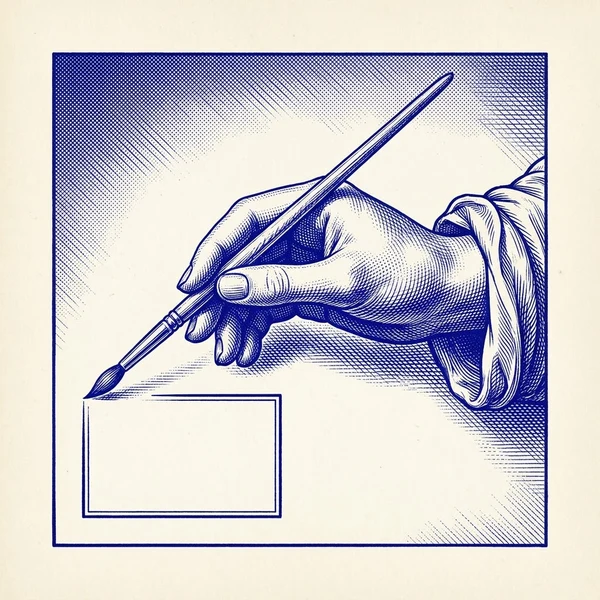
Open one project file. Mark it quickly on iPhone, use Pencil on iPad, or review beside the repo on Mac or Windows.
#3 TRANSMUTE

The Handoff Pack goes back to Hermes. It reads every annotation and ships the changes.
#4 PROVE

On iPad or desktop, Monet recaptures the site and verifies each fix landed. The blueprint becomes a painting.
System interface previews
SCREEN 01
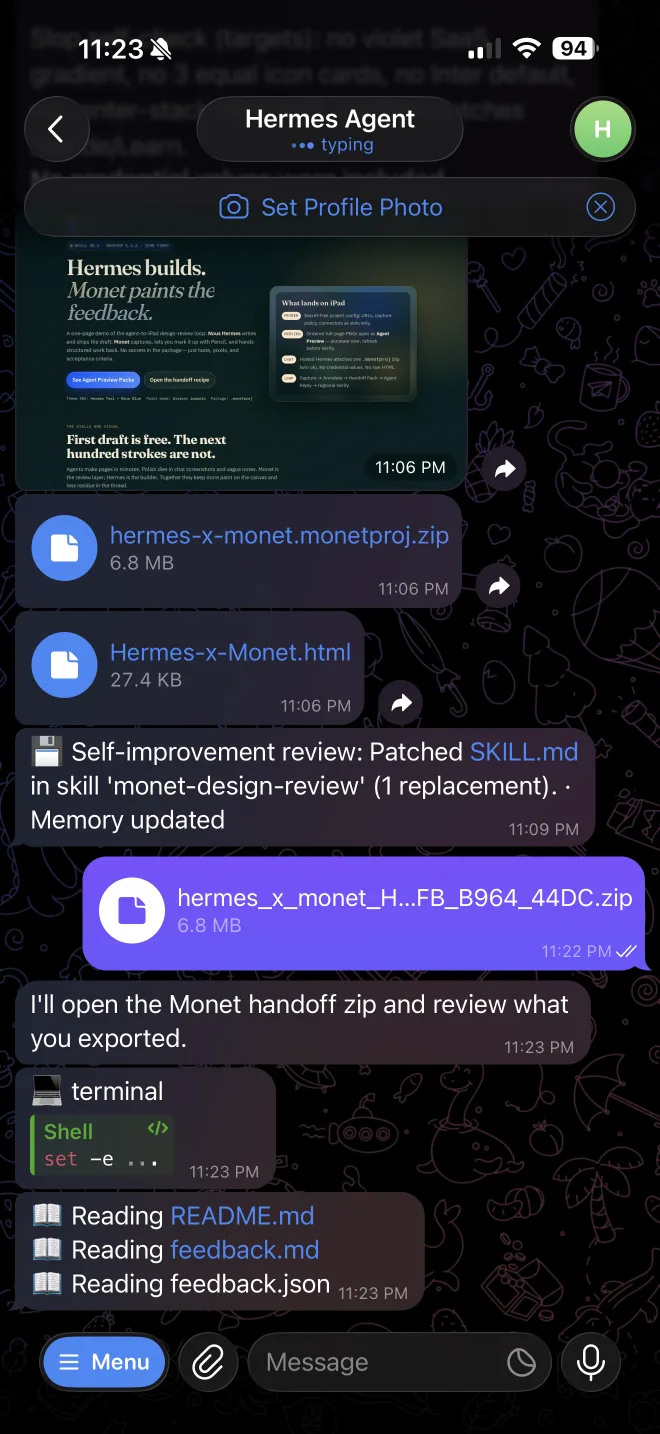
TELEGRAM SENDS THE AGENT PREVIEW
SCREEN 02
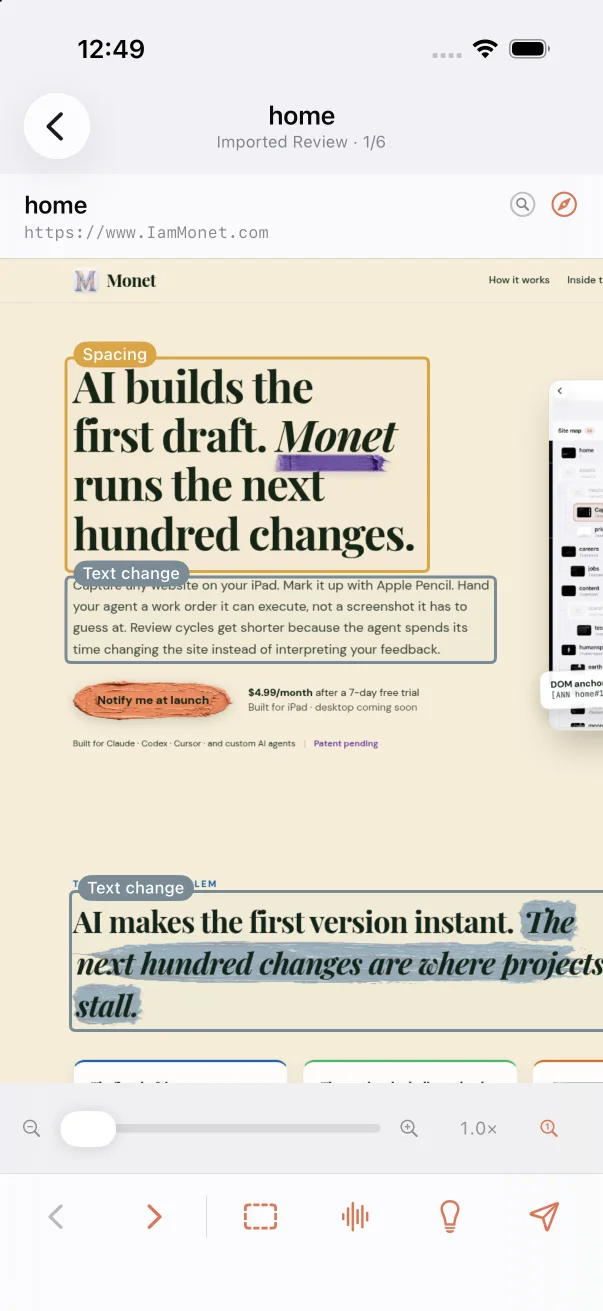
QUICK REVIEW ON IPHONE
SCREEN 03
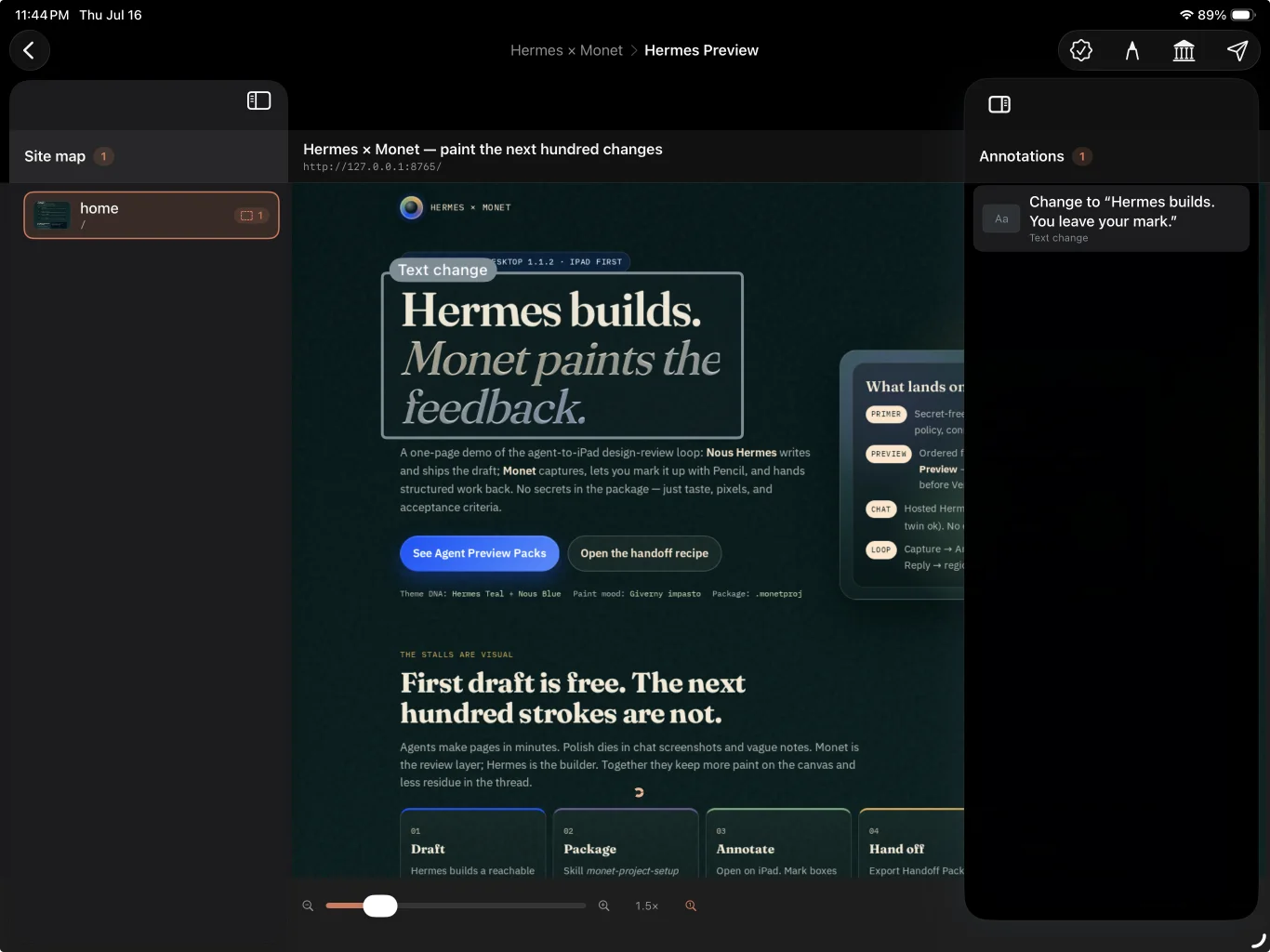
FULL REVIEW ON IPAD
Hermes is a product of Nous Research. Monet is not affiliated with or endorsed by Nous Research. Apple Pencil is a trademark of Apple Inc.
Leave your mark on your project.