Review your site. Hand the notes to your agent. See the fixes land.
Monet: Design Review captures a site running on your computer, lets you draw boxes around what should change, sends the notes to your default Omarchy agent, and shows each fix before and after. It follows your theme.
Omarchy 4 or newer · x86_64 · pacman does the install · nothing leaves your computer
Install
One line in a terminal. It fetches the bundle, checks it against Monet's release key with minisign, then pacman installs it and asks for your password.
$curl -fsSL https://iammonet.com/omarchy/install.sh | bashPrefer to read it first? install.sh is short. Prefer a file? The bundle is on the releases page: unpack it and run bash install.sh.
Or ask your agent
Paste this into Claude Code, Codex, OpenCode or whichever agent Omarchy has as your default.
Install Monet: Design Review on this Omarchy computer. Run: curl -fsSL https://iammonet.com/omarchy/install.sh | bash
It downloads Monet's signed bundle, checks the signature with minisign, and pacman installs it (it asks for the password). When it is done, run "monet doctor" and show me the result.
What it needs
- Omarchy 4 (Quattro) or newer, on a 64-bit Intel or AMD computer.
- Chromium, which Omarchy ships with, to take page captures.
- A default agent, chosen with Super + Space, Setup, Defaults, Agent.
- Optional: Omarchy's dictation, to speak your notes.
Run monet doctor any time to see what is in place.
Five steps, one loop
Simple mode is the whole loop with one main button per step. Advanced mode is the full Monet workspace for people who want every control.
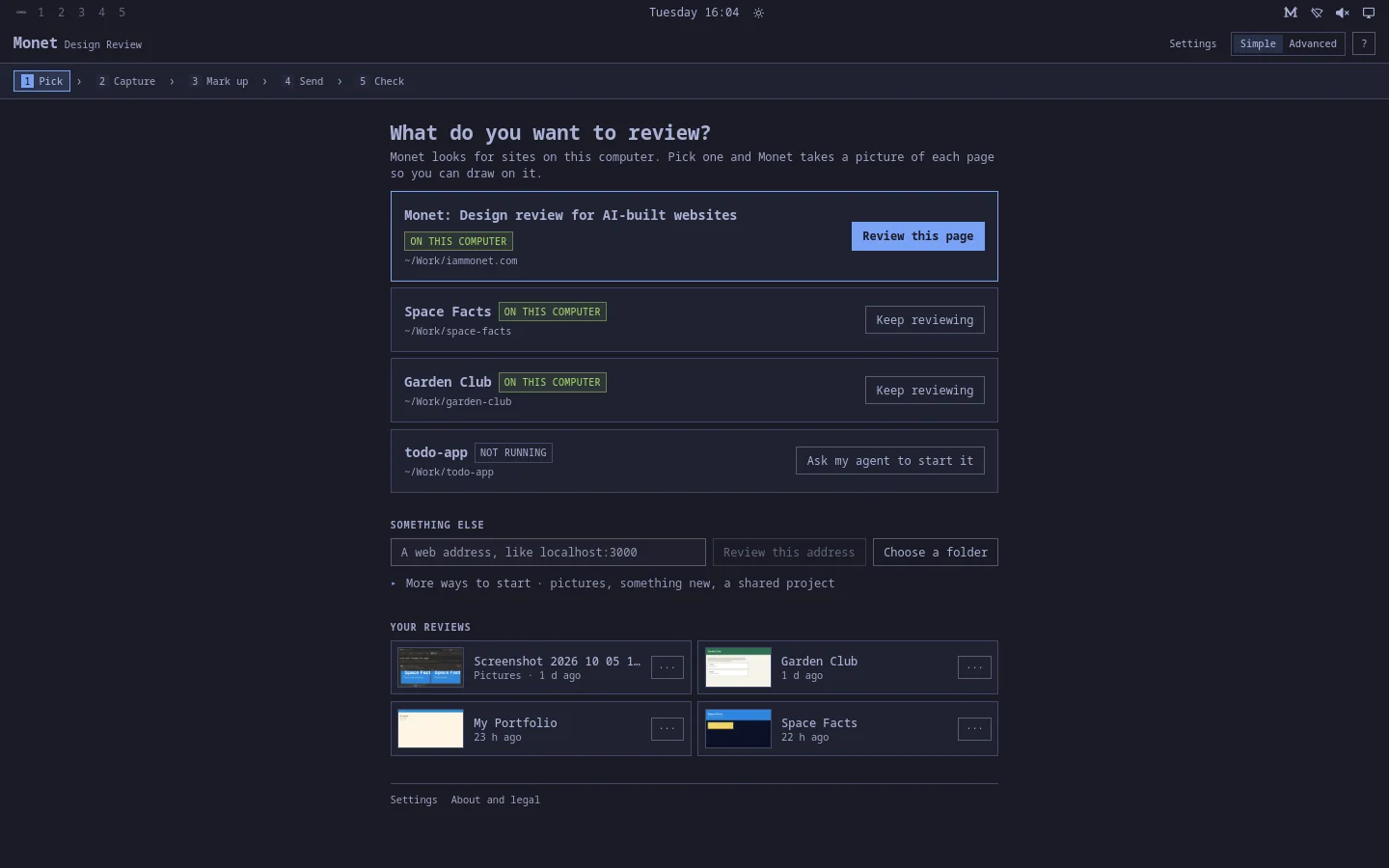
1Pick
Monet lists the sites running on this computer, including the one your agent just built. Click one. No site yet? Ask your agent to make something new, and Monet picks it up when it is running.
2Capture
Monet takes a picture of each page with the Chromium Omarchy already has. Phone or computer size, light or dark, pages behind a login.
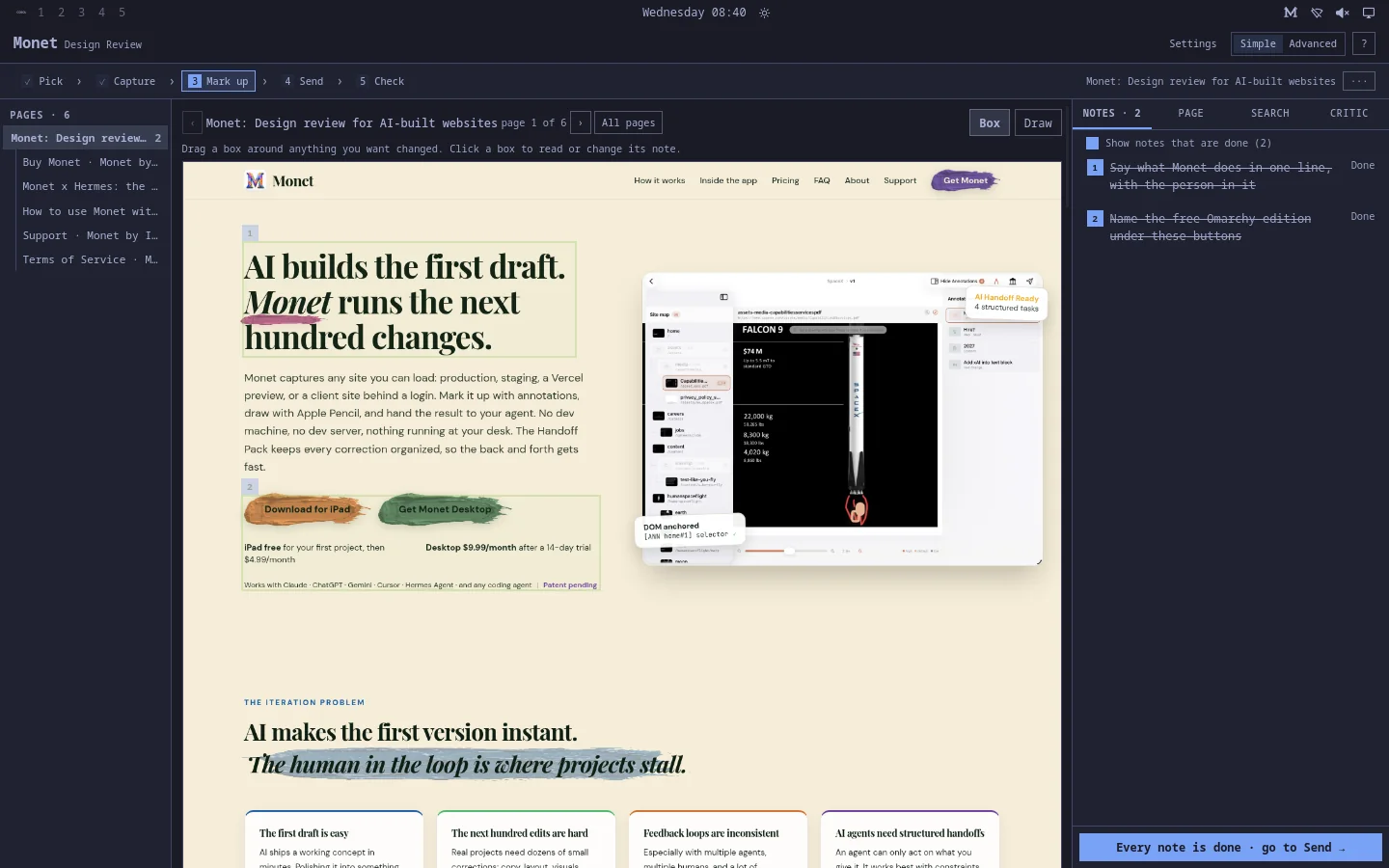
3Mark up
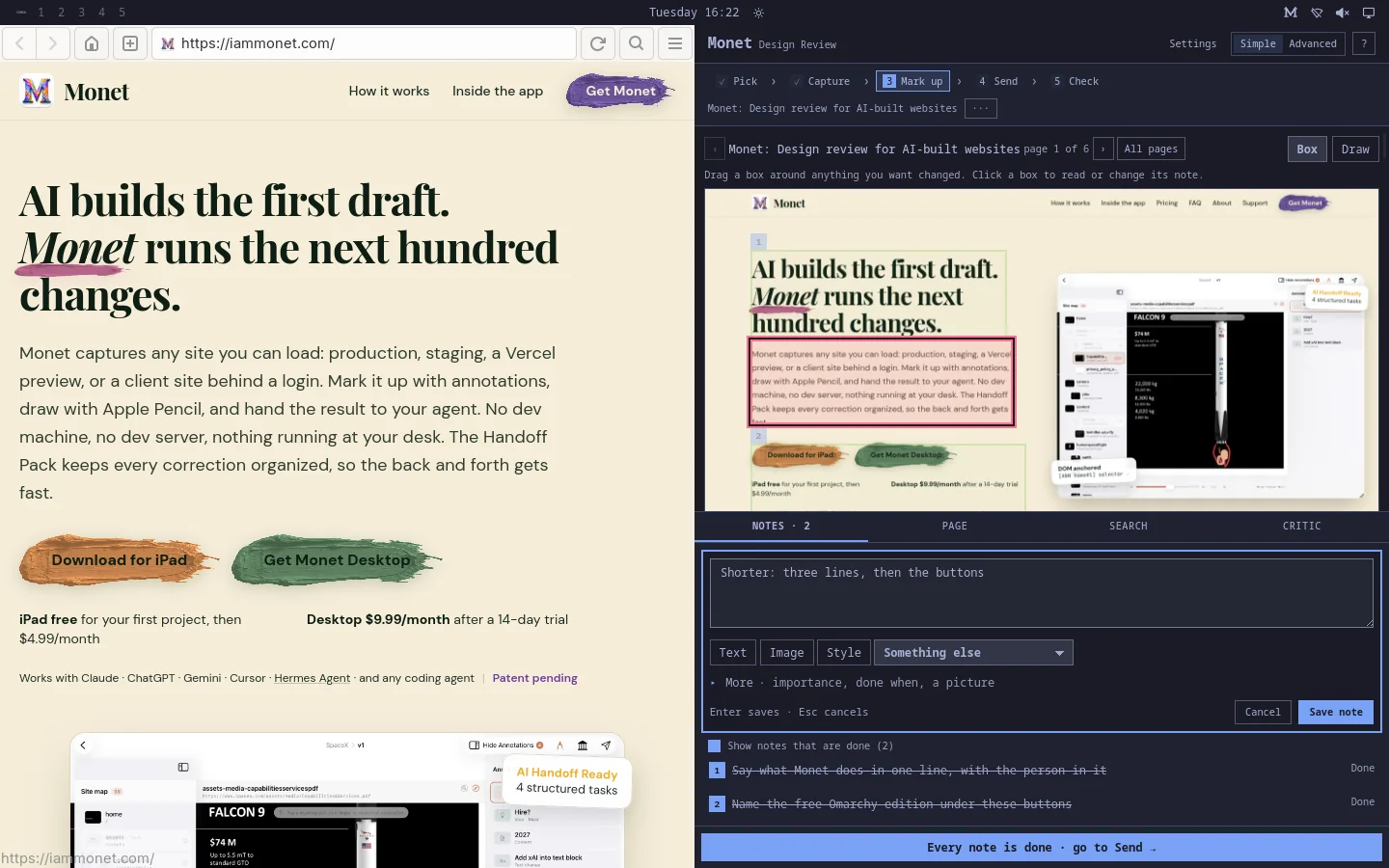
Drag a box around anything you want changed and say what should change. Draw on the page if that is quicker. Hold F9 and dictate it. In a half-width tile the note card sits beside the picture, never over it.
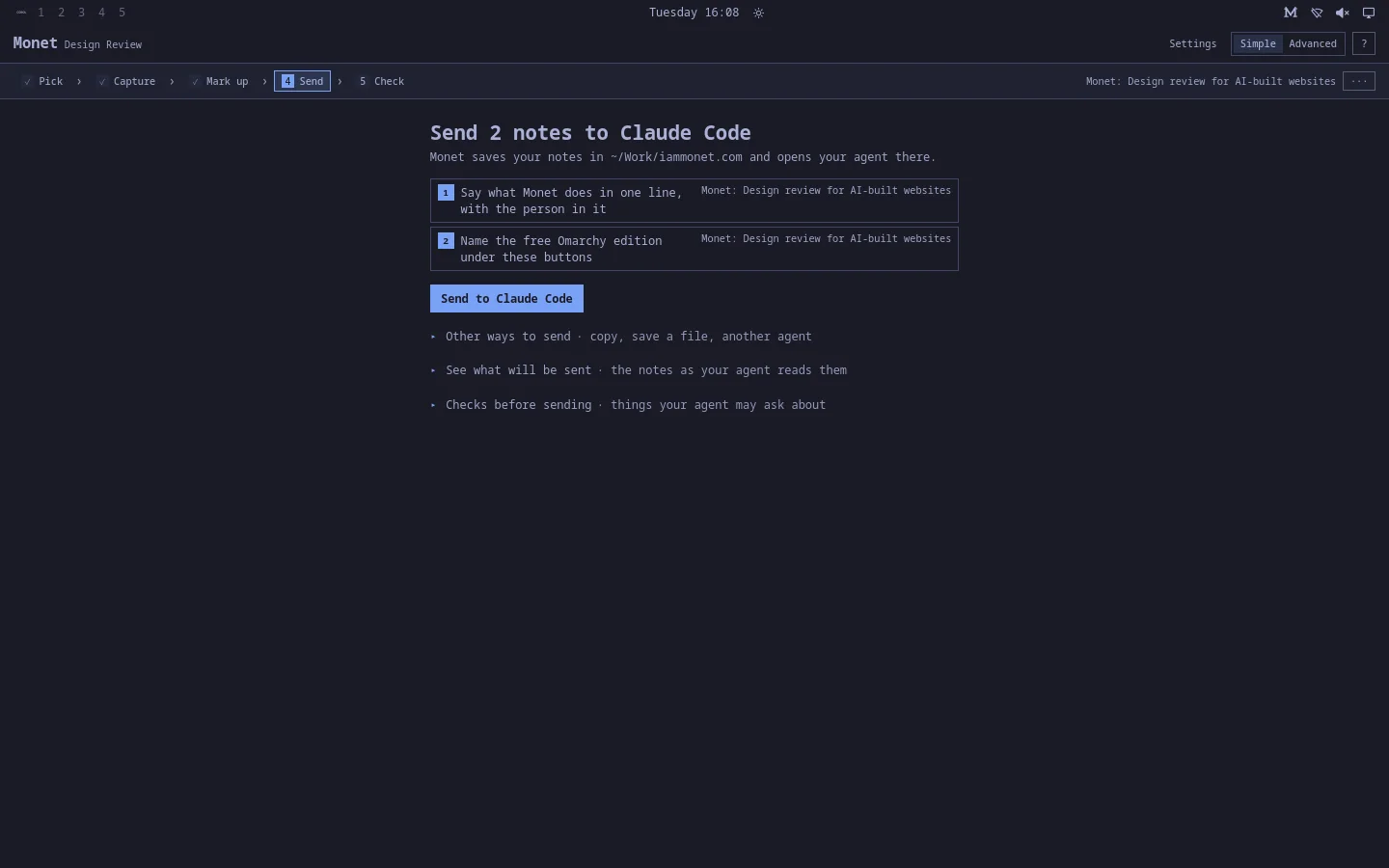
4Send
One click writes the notes into the project folder and opens your default Omarchy agent there, with pictures of every note. Monet waits while the agent works in its own window.
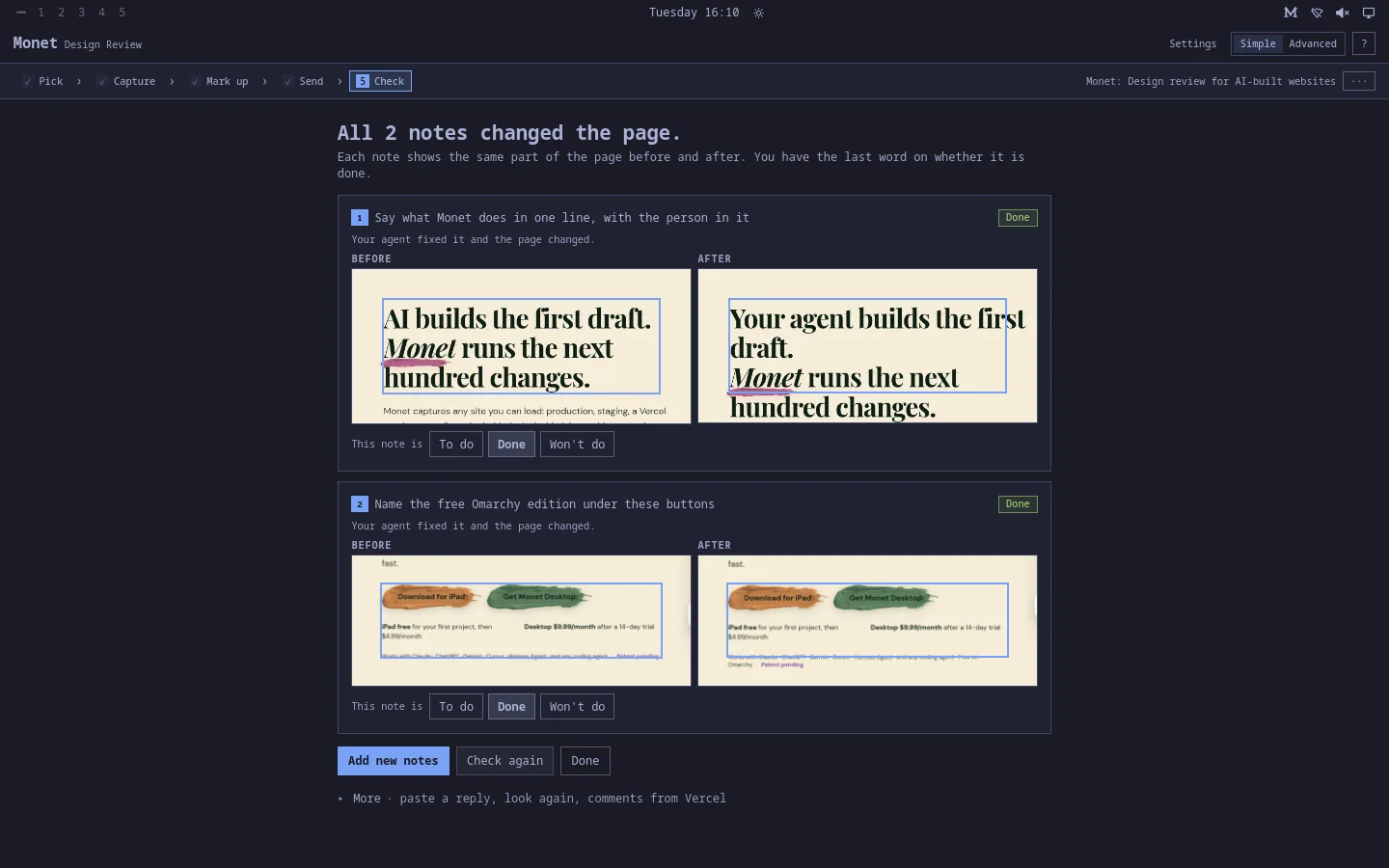
5Check
When the agent is done, Monet takes new pictures and shows each note before and after. Changed means the pixels, styles or words moved. You have the last word.
½Half a screen
Tile Monet beside your agent or your browser. The note you are writing docks beside the picture, so the words you are changing stay readable while you write about them.
Made for Omarchy
Follows your theme
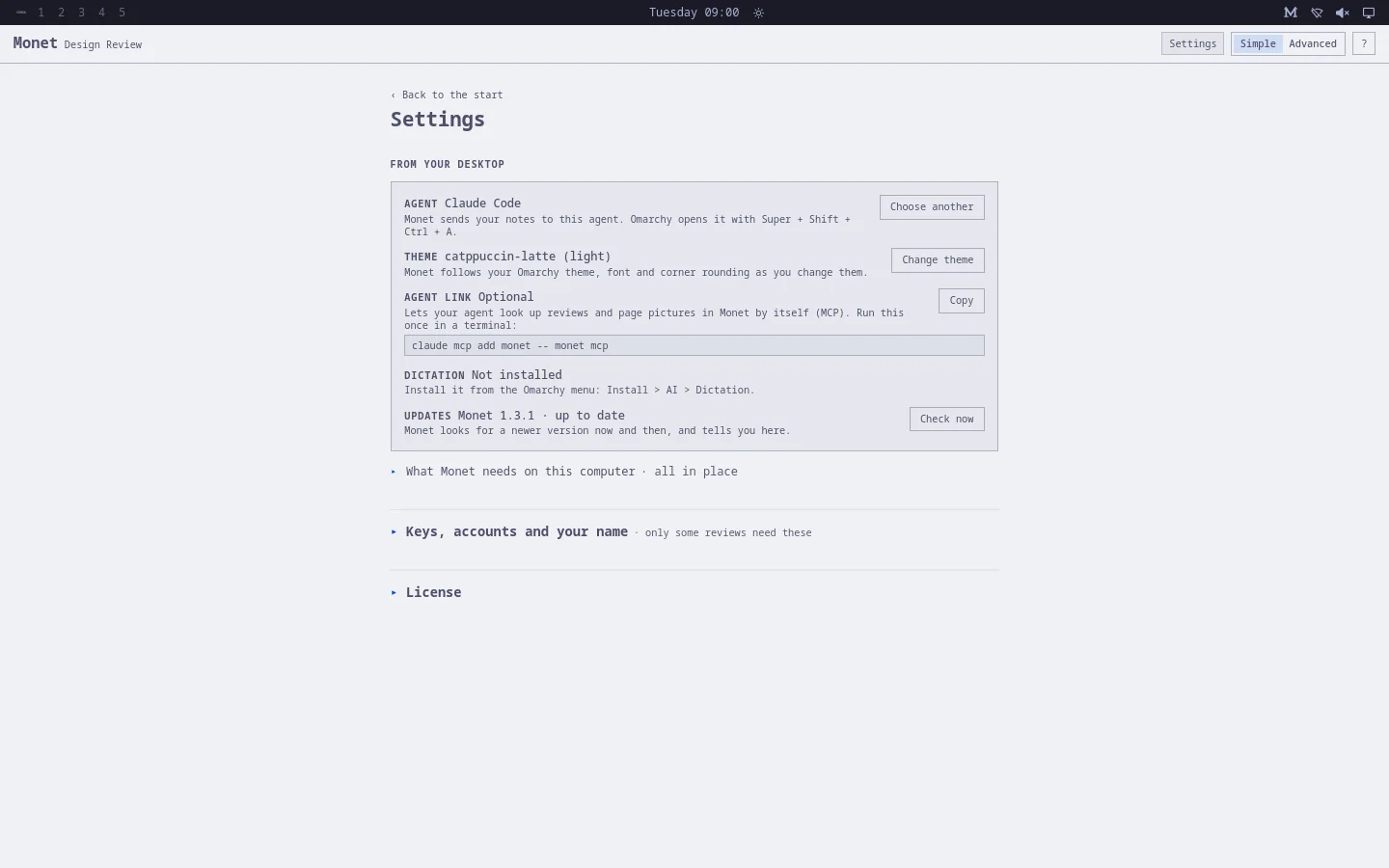
Monet reads the Omarchy theme, font and corner rounding and redraws itself as you switch. Every piece of text is held to WCAG AA under all 22 themes.
Your agent, not a key
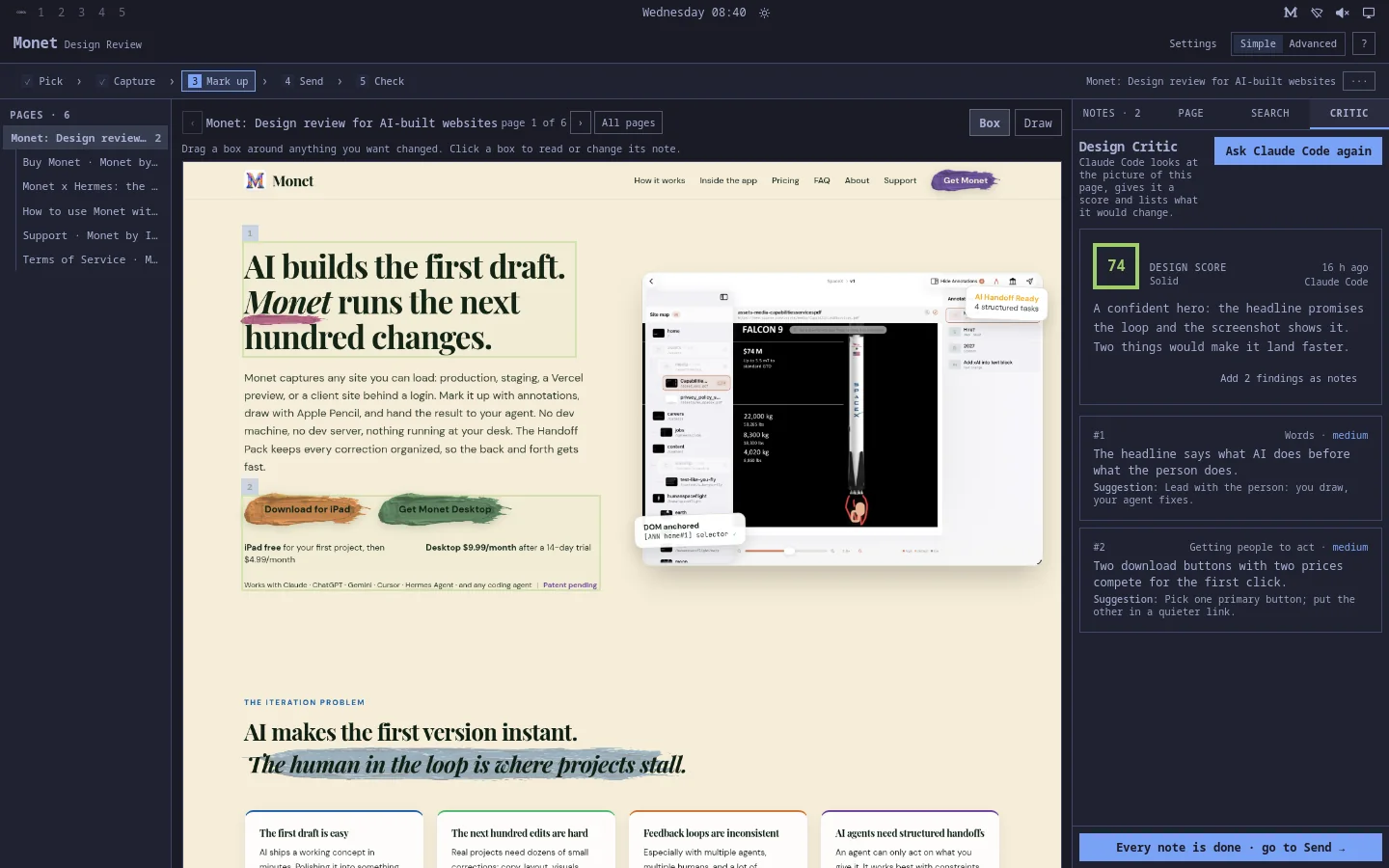
Handoffs and the Design Critic go to the agent Omarchy has as its default: Claude Code, Codex, OpenCode, Gemini, Hermes and the rest. No API key to paste.
In the bar
The M in the top bar lists your sites from anywhere on the desktop, says what Monet is up to, and turns any window into a review.
Made for tiling
Half a screen is enough. The note you are writing sits beside the page, the agent's window beside Monet.
Speaks your notes
With Omarchy's dictation installed, hold F9 and say what should change.
Keeps itself current
A newer Monet shows up on the start screen. One click downloads the signed bundle, checks it, and pacman installs it.
Questions
What does it cost?
Nothing. The Omarchy edition is free, with no account and no trial. Monet for iPad, Mac and Windows is the paid product that funds it.
Where do my reviews live?
On your computer, in ~/.local/share/app.iammonet.monet. Nothing is sent anywhere unless you save a key for a service on purpose.
What does it need?
Omarchy 4 (Quattro) or newer on a 64-bit Intel or AMD computer, and the Chromium Omarchy ships with. A default agent, chosen in Omarchy's menu, so Monet has someone to send notes to.
How do I remove it?
Run bash uninstall.sh from the bundle folder, or sudo pacman -R monet. Your reviews stay unless you delete the data folder.
Is the installer safe to pipe into bash?
Read it first: it is short. It fetches the bundle, checks the bundle against Monet's release key with minisign before opening it, and then runs the bundle's own install.sh, where pacman asks for your password. Nothing else runs as root.