AI builds the first draft.
Monetruns the next hundred changes.

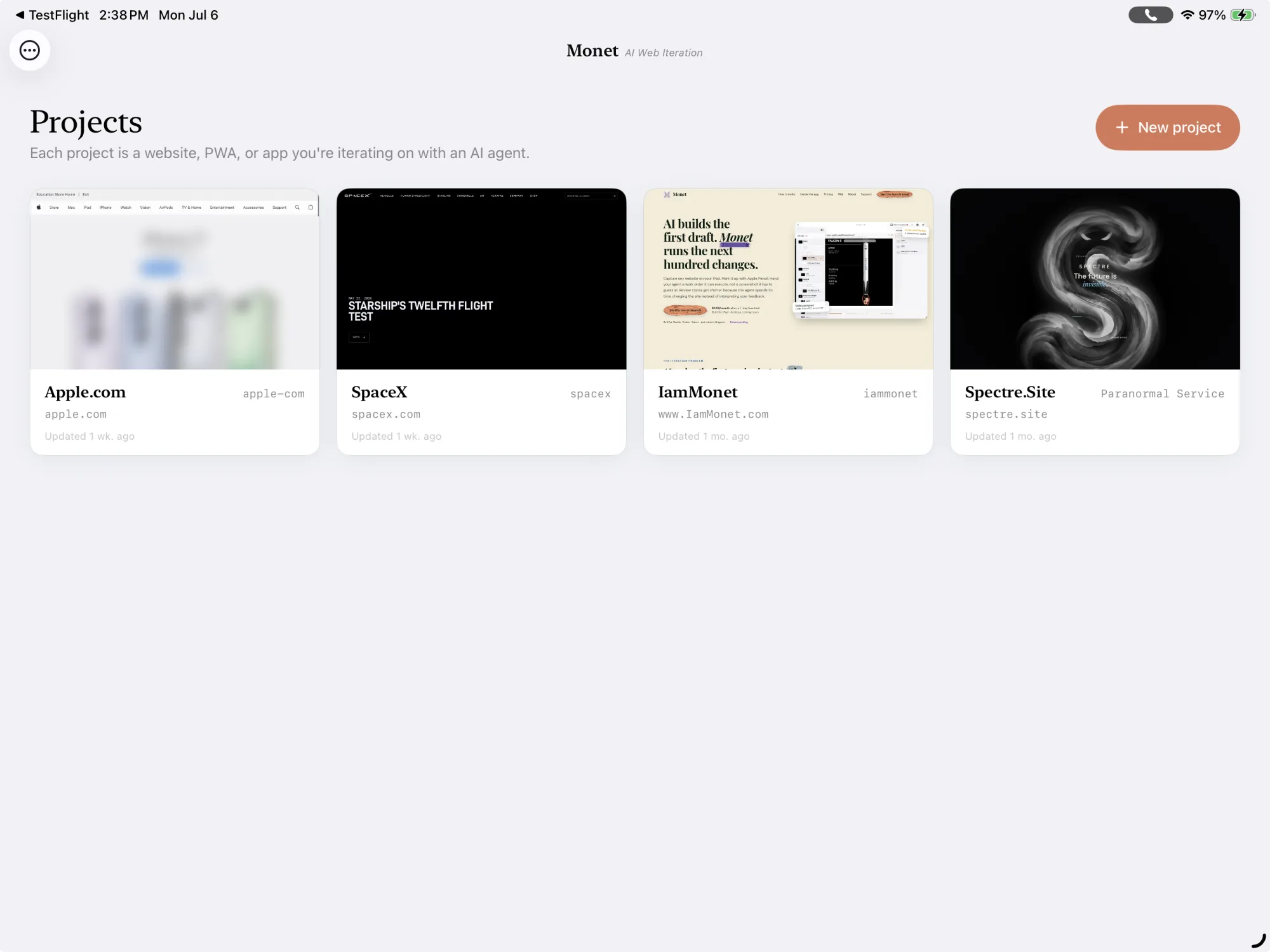
Monet captures your website, PWA, or any visual AI-driven project. Mark it up with annotations, draw with Apple Pencil, and hand the result to your agent. The Handoff Pack keeps every correction organized, so the back and forth gets fast.
iPad $4.99/month after a 7-day trial
Desktop $9.99/month after a 14-day trial
Built for Claude · Codex · Cursor · and custom AI agents|Patent pending
The iteration problem
AI makes the first version instant.The human in the loop is where projects stall.
The first draft is easy
AI ships a working concept in minutes. Polishing it into something useful is the challenge.
The next hundred edits are hard
Real projects need dozens of small corrections: copy, layout, visuals, brand. Each one matters.
Feedback loops are inconsistent
Especially with multiple agents, multiple humans, and a lot of opinions in the mix. Little of it reaches your agent intact.
AI agents need structured handoffs
An agent can only act on what you give it. It works best with constraints, context, and clear acceptance criteria.
Monet keeps the human review loop organized.
The workflow
Handoff Packs.
The missing feedback loop.
Five steps from raw AI output to a polished site, running on Handoff Packs: human-curated, accurate feedback your agent can act on. No design software and no design skills required, just your opinions and your annotations.
Capture
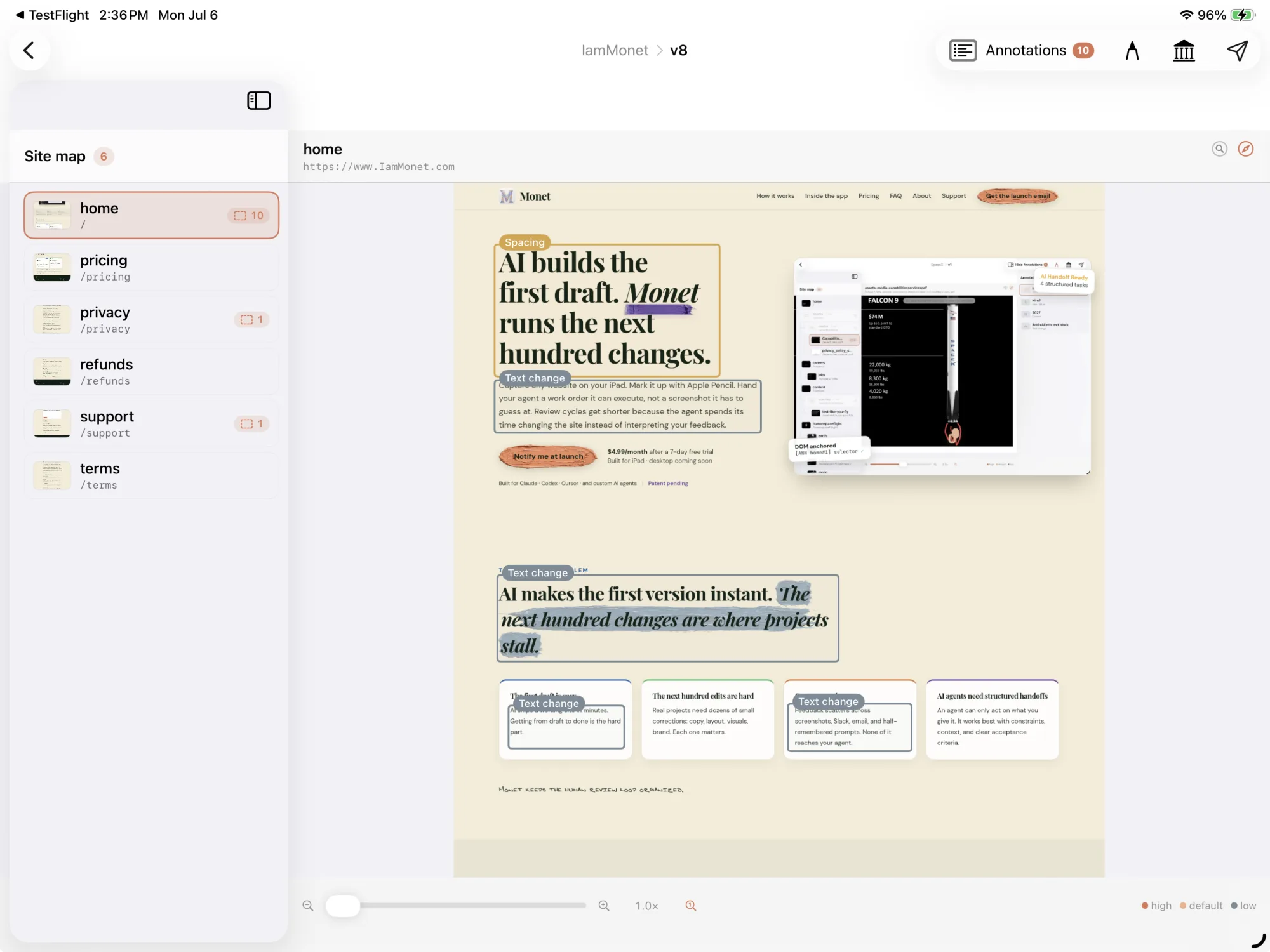
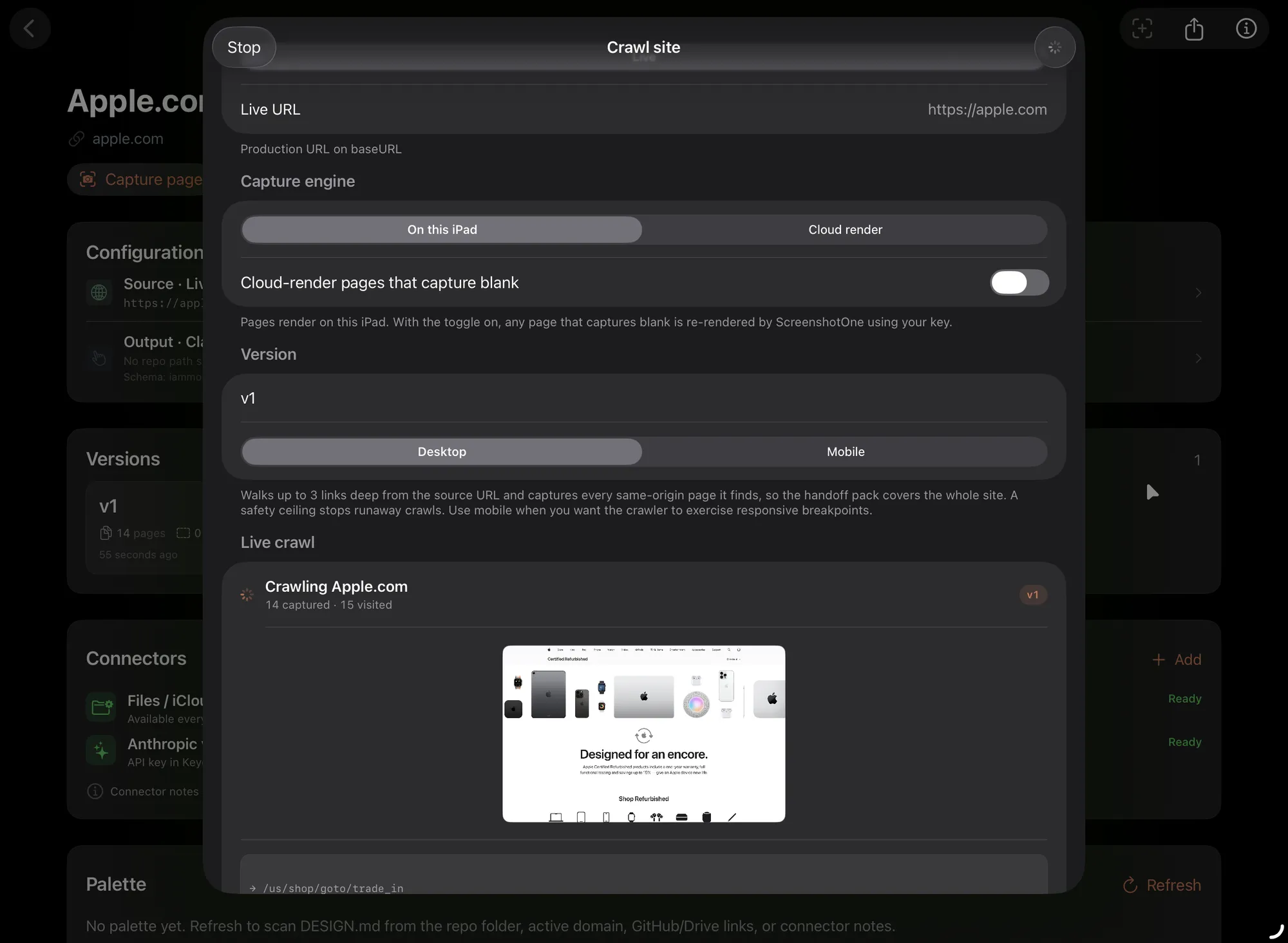
Point Monet at any deployed site. It walks the routes it finds, takes full-page screenshots, and indexes the DOM. Add any paths it misses. Sign-in walls included.
Annotate
Draw boxes with Apple Pencil. Write what you want changed and how you'll know it's done. Tag by category: copy, layout, accessibility, SEO, structure.
Hand off
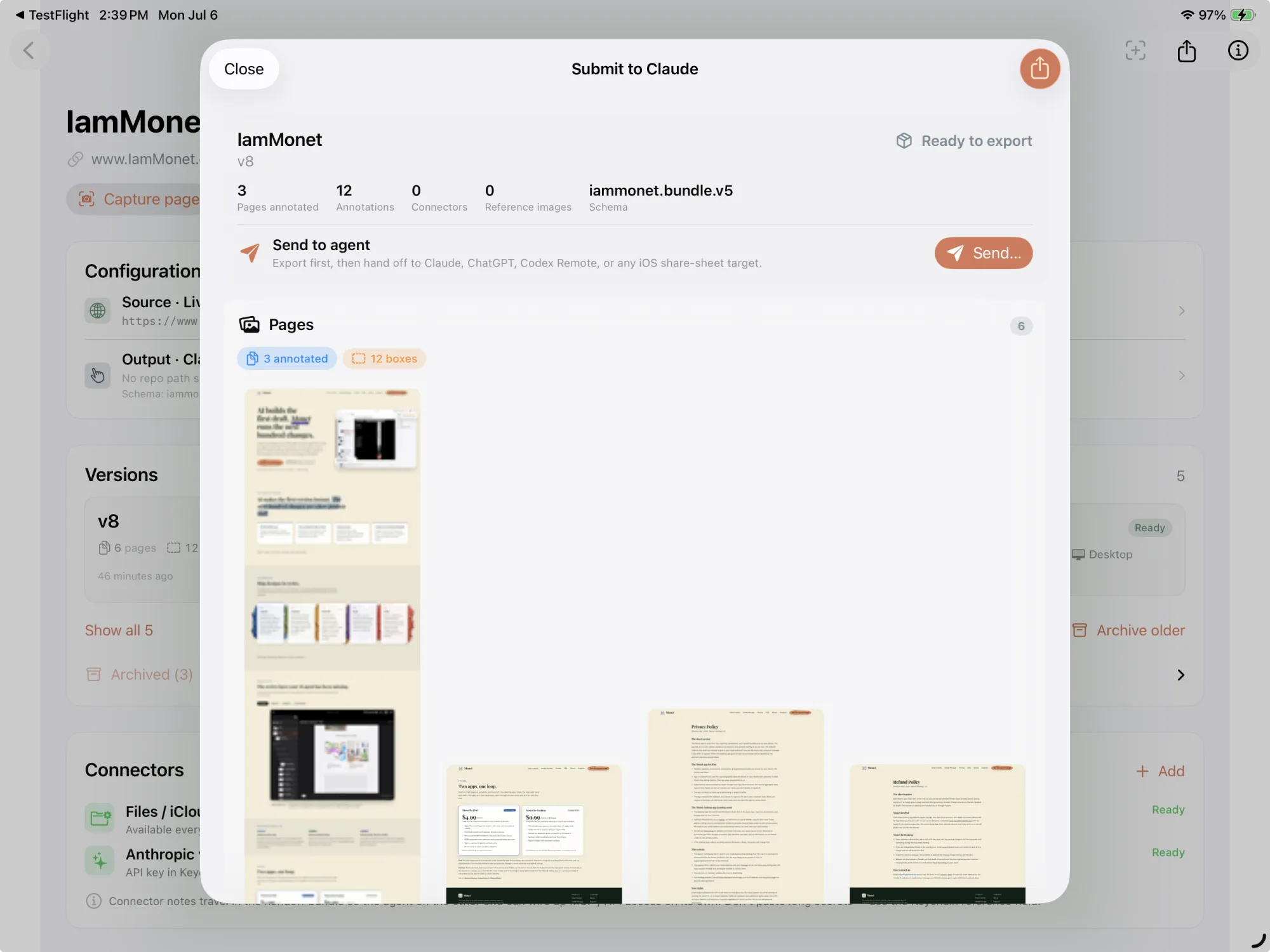
One tap builds a structured packet: screenshots, crops, selectors, computed styles, acceptance criteria. Preflight catches gaps before you submit, so nothing arrives half-specified.
Reply
Your agent reads the packet and ships changes. One paste closes every matching annotation. No screenshots back and forth, no re-explaining.
Verify
Monet re-captures the site and diffs every annotated region, so a fix only counts as done when the pixels actually changed. Anything unchanged goes back to the agent.
"Capture. Annotate. Hand off. Reply. Verify."
Read the full workflowInside the app
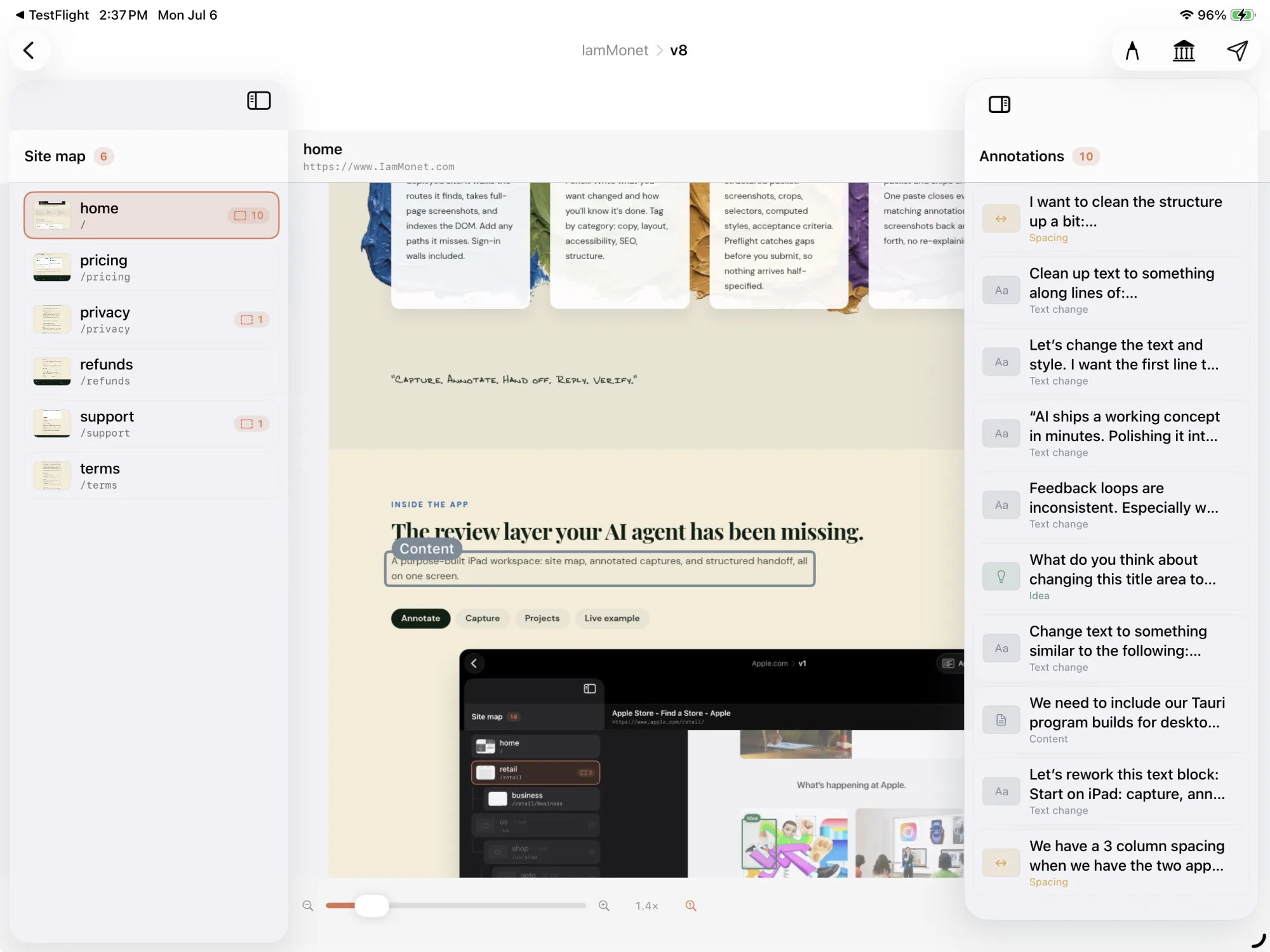
The review layer your AI agent has been missing.
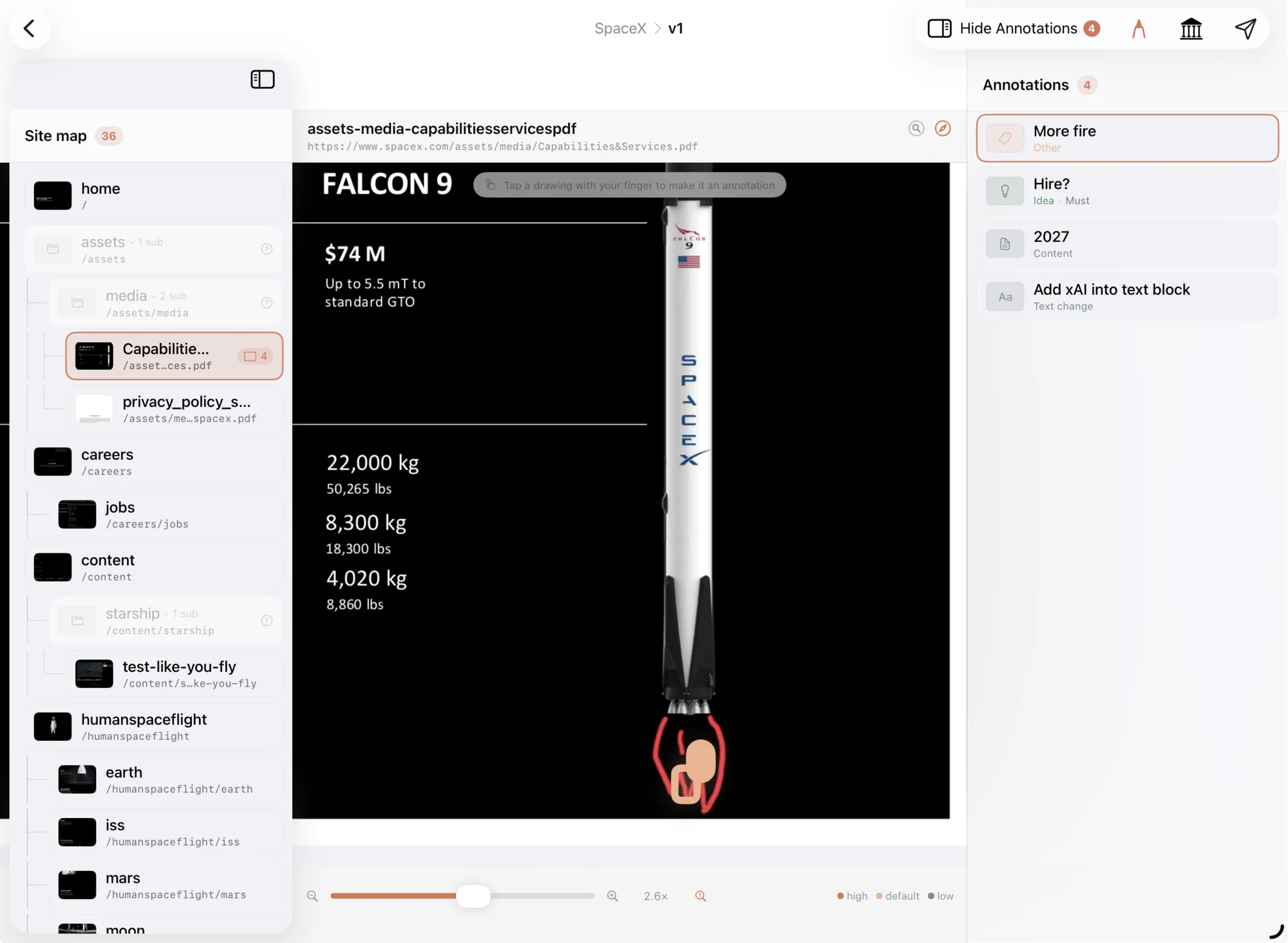
A purpose-built workspace: site map, annotated captures, and structured handoff, all on one screen. Built for iPad first, with the Tauri-built Monet Desktop program bringing the same reviews to macOS and 64-bit Windows 10 or 11.
What Monet doesn't do

It doesn't write code.
Your agent makes the changes in your repo. Monet writes the instructions and checks the results, and that separation is deliberate: the tool that grades the work should not be the one doing it.

Your project work stays local.
Captures, annotations, and bundles stay on your device. iPad sync uses your own iCloud; desktop keeps active project data local. Licensing, updates, and optional crash reports never include your project content.

It doesn't assume a fix landed.
When your agent says done, Monet re-captures the page and compares the exact region you marked. Anything unchanged goes straight back on the list.
Pricing
iPad App and Desktop program. One loop.
Start on iPad to capture, annotate, and hand off. Share a project with a client, teammate, or agent. No design software experience is required. Work on iPad with Pencil, or move the same project to Mac or Windows. Each product has its own free trial and subscription.
Monet for iPad
Available nowTry it free for 7 days. Cancel anytime. Built for iPadOS 26 and later.
- ✓Apple Pencil and finger annotation, with notes and acceptance criteria
- ✓Unlimited projects and captures, on device and in your own iCloud
- ✓Structured handoff bundles for Claude Code, Codex, and Cursor
- ✓DOM context, selectors, and computed styles for every note
- ✓Capture gated and client sites after signing in
- ✓No account, no tracking, and nothing collected by us
Pair with the Monet Desktop program to close the loop with reply and verify.
Available now7-day free trial
Monet Desktop program
Available nowTry it free for 14 days. Cancel anytime. Built for macOS and 64-bit Windows 10 or 11.
- ✓The full solo loop: capture, annotate, hand off, reply, verify
- ✓Verify fixes with fresh captures and regional comparisons
- ✓Built for pointer and keyboard on macOS or Windows
- ✓Portable bundles with local project privacy
- ✓Signed installer with automatic updates
Sold separately from the iPad App, through Paddle.
Download Monet DesktopiPad subscription terms. Subscriptions renew automatically unless cancelled at least 24 hours before the period ends. Payment is charged to your Apple ID at confirmation. Any unused portion of the free trial is forfeited when you subscribe. Manage or cancel anytime in your Apple ID settings. By subscribing you agree to our Termsand Privacy Policy.
Desktop subscription terms. Desktop purchases will be processed by Paddle, our merchant of record. After the 14-day free trial, the subscription renews automatically at the price shown until you cancel. Cancel anytime from the link in your receipt email or by writing to support@iammonet.com. The iPad App and Desktop program are separate purchases.
Bring your own key, on both products. The optional AI Design Critic runs on your own Anthropic key, usually pennies per page. The key stays in your device Keychain. We never see it and never take a cut of your AI spend.
FAQ
Common questions.
Which coding agents does it work with?+
Claude Code, Codex, Cursor, or any agent that reads files or accepts pasted context. Monet produces a portable bundle: markdown plus structured JSON plus screenshots. No lock-in to one AI vendor.
Do I install anything on my website?+
No. Monet captures sites from the outside, the way a visitor sees them. It works on any stack: WordPress, Shopify, React, plain HTML, anything with a URL.
Where does my data live?+
On your device, and in your own iCloud if you use sync. Captures, annotations, and bundles never touch our servers. No account to create. Subscriptions are handled by the App Store on iPad, and by Paddle on desktop.
Does it work on sites behind a login?+
Yes. Sign in once inside Monet's capture browser and it replays that session for future captures, including sites gated by a PIN or a client-side login.
What about Mac and Windows?+
Monet Desktop is available for macOS and 64-bit Windows 10 or 11. It runs the full loop, including reply and verify, for $9.99 a month or $99 a year after a 14-day free trial. Download it from the Get Monet page.
Why is the Mac version a larger download?+
Monet includes tested Chromium and Firefox browser runtimes so crawling, screenshots, signed-in captures, and visual verification work locally without installing developer tools. The Mac download is about 500 MB and expands to roughly 1 GB after installation. Windows is smaller because it can use Microsoft Edge already included with Windows. We keep reducing the size where doing so does not compromise dependable, zero-setup capture.
Do I need separate subscriptions for iPad and desktop?+
Yes, for now. The iPad App is sold through the App Store and the Desktop program is sold through Paddle, so each has its own subscription and its own trial. We may link them in the future.
Who makes Monet?+
Garton Holdings, LLC, a California company. The capture-annotate-handoff-verify pipeline is patent pending (U.S. provisional 64/071,601).
The story
A name with roots. A tool with purpose.

Ben Garton
Founder, iammonet.com
linkedin.com/in/benwgarton- Agricultural automation and robotics
- AI-driven development tools
- Monet family lineage research
The name is personal.
Monet is not just a product name, it is a family name. Ben Garton's great-grandmother always told the family they were related to Claude Monet, the Impressionist painter. That story was not just oral tradition. It was documented.
In 1981, Montez DeMonia Jones published A DeMoney-DeMonia Family: Demoneia, Monet, Money, Monnet, LeMoine (Gregath Co., Cullman, Alabama, OCLC 8629280), a genealogical record tracing the descendants of Henry de Money and the related Monet, Monnet, Money, and DeMoney branches of the family tree. The book is held in WorldCat and stands as a published record of the lineage.
The name Monet, then, carries both Impressionist resonance and genuine family history, a tool named not just for an aesthetic, but for a bloodline.
A DeMoney-DeMonia Family
Demoneia, Monet, Money, Monnet, LeMoine
Author: Montez DeMonia Jones
Publisher: Gregath Co., Cullman, Alabama, 1981
OCLC 8629280, WorldCat genealogy record
Built from the field up.
Ben has spent years deeply involved in agricultural automation and robotics, systems where precision, iteration, and human oversight are not optional. In the field, a machine that acts without human confirmation is a liability. The same principle applies to AI-built software.
As AI coding tools matured and became capable of generating entire websites in minutes, Ben recognized a gap: the tools were fast, but the review process was not. Feedback was scattered, context was lost, and AI agents were receiving vague instructions that produced vague results.
Monet is the tool Ben needed. A structured, visual, human-in-the-loop review layer that turns impressions into implementation, the same discipline that makes agricultural automation reliable, applied to AI web development.
"AI builds the first draft. Monet runs the next hundred changes."
Monet Desktop is live.
Download the signed macOS or Windows build, start a 14-day trial, and keep the full capture, annotation, handoff, reply, and verify loop beside your repo and coding agent.